Table of Contents
🚀 Measure Every Second Precisely with ToolsHub Stopwatch
Whether you’re timing workouts, study sessions, sports events or work tasks — precision matters. The ToolsHub Online Stopwatch offers a clean, ad-free and accurate timer experience directly in your browser.
No downloads, no clutter — just a simple and modern stopwatch that works instantly on desktop, tablet or mobile.
🌟 What is an Online Stopwatch?
An online stopwatch is a digital timing tool that allows you to measure elapsed time for any activity. Unlike physical stopwatches or smartphone apps, it runs entirely in your web browser — making it lightweight, accessible, and cross-device compatible.
The ToolsHub Stopwatch is designed with a clean interface, large readable digits, and start/stop/reset functionality — perfect for both personal and professional use.
🧩 Why Use a Browser-Based Stopwatch Tool?
There are dozens of reasons why people prefer using an online stopwatch instead of mobile or physical devices:
- ⚡ Instant access – Open your browser and start timing in seconds.
- 📱 Cross-device compatibility – Works smoothly on Windows, macOS, Android and iOS.
- 🎯 No ads or distractions – Focus only on your timing tasks.
- 🔒 Secure and private – No data storage, cookies or sign-ups required.
- 🧠 Memory retention – Keeps running in the background if you switch tabs (depending on your browser).
Whether you’re timing study intervals, workouts, meetings or speed tests, this tool brings simplicity and performance together.
🏋️ Top Use Cases of ToolsHub Stopwatch
Here’s how you can use the ToolsHub Stopwatch effectively in your daily life:

1. Fitness & Exercise
Track your workout sets, running laps or high-intensity intervals (HIIT). Pair it with the Heart Rate Zone Calculator to stay within your ideal training range.
2. Study & Productivity
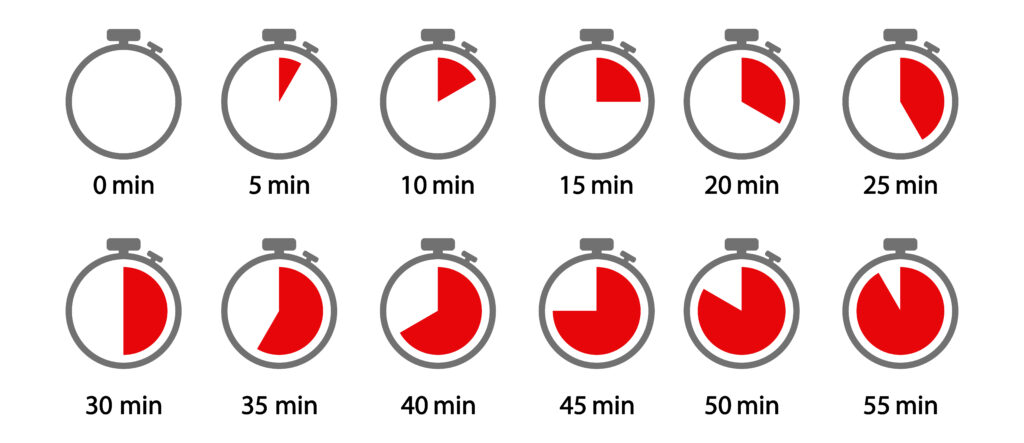
Use it for Pomodoro-style sessions — study or work for 25 minutes, rest for 5. Combine with the Pomodoro Timer for better time discipline.
3. Cooking & Experiments
Need to time recipes, baking or lab work? The stopwatch ensures accuracy down to milliseconds.
4. Sports & Games
Track race durations, competition times or event laps with real-time precision.
5. Office & Meetings
Monitor presentations, breaks or time-boxed discussions — improve meeting efficiency easily.
🧮 Features of the ToolsHub Online Stopwatch
The stopwatch is built to be intuitive and functional for everyone.
Here’s what makes it stand out:
✅ Start / Stop / Reset Controls – Basic yet powerful interface for accurate timing.
✅ Responsive Design – Auto-adjusts to screen size (mobile/tablet/desktop).
✅ Clean Minimal UI – Inspired by the same elegant design as the BMI Calculator and Countdown Timer.
✅ Zero Installation – Works instantly in any browser.
✅ Lightweight & Fast – Optimized for speed, loads in under 1 second.
✅ Secure & Private – No personal data collected or shared.
💡 How to Use the Stopwatch
Using the ToolsHub Stopwatch is incredibly simple:
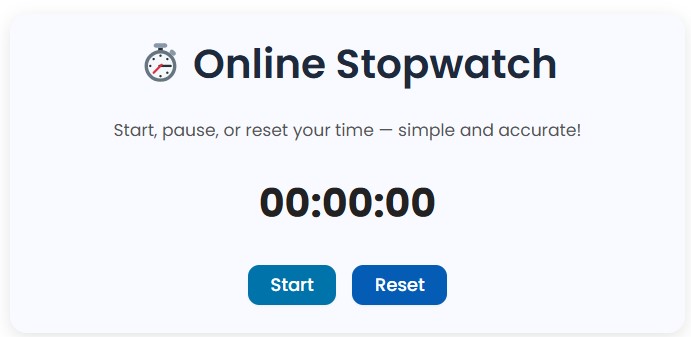
- Visit toolshub.learntechbytes.com/stopwatch/.
- Click Start to begin timing.
- Press Stop to pause or record a lap.
- Hit Reset to start fresh.
It’s as straightforward as it gets — no setup, no learning curve.
🧭 Other Tools
Time and Date – Online Stopwatch Reference
Harvard Business Review – Time Management Strategies
❓ Frequently Asked Questions (FAQ)
Can I use the ToolsHub stopwatch offline?
The stopwatch runs directly in your browser and needs an active session so offline usage may not record accurately.
Is it free to use?
Yes, 100% free with no sign-ups or ads.
Can I use it on my phone?
Absolutely! The stopwatch is fully responsive for all screen sizes.
Does it work if I switch browser tabs?
Yes, timing continues depending on browser behavior (Chrome and Edge maintain timers in background tabs).
Is my data stored anywhere?
No. All operations happen locally in your browser — no personal data is saved or sent to servers.
🧩 Tips for Better Time Management
If you’re using the stopwatch for productivity:
- Combine it with Pomodoro Timer sessions.
- Take short breaks every 25 minutes.
- Use the stopwatch for accountability during work or study sprints.
- Record results weekly to improve focus and discipline.
🧾 Conclusion
The ToolsHub Online Stopwatch is built to simplify time tracking — elegant, reliable and distraction-free.
Whether you’re a student, athlete or remote professional, this browser-based tool helps you stay punctual, productive and precise.
Explore other free tools like: